


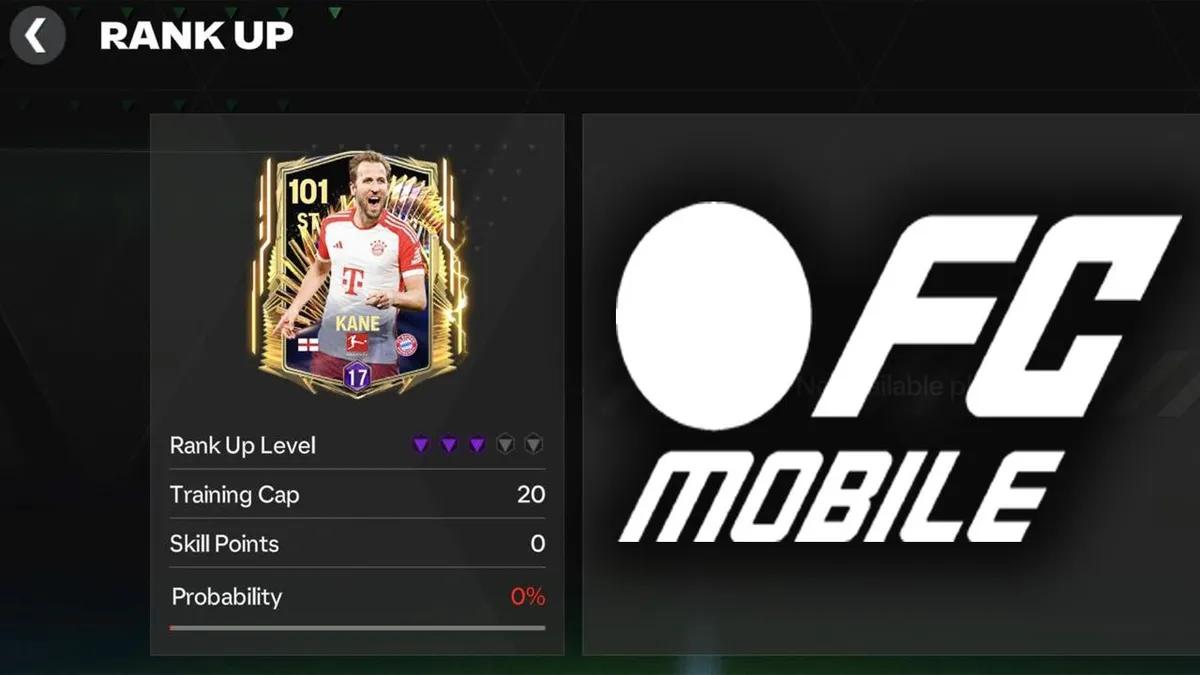
FC Mobile: How to Get Rank Up Points In
 Games
 EA Sports
 FIFA
EA Sports FC Mobile includes Rank Up Points—special players used to rank up your own players—and Event Points, which you can spend to earn these ranks or other rewards.
There are several ways to earn Rank Up Points in EA Sports FC Mobile, and below you'll find out how to do so, as well as how to improve your team.
How to Get Rank Up Points and How it Works
As noted above, there are several ways to earn Rank Up Points in EA Sports FC Mobile. The main one is through Events—be sure to check the active Events in the game regularly. The game also features Quests that reward you with versatile rank players when complete—be sure to complete daily and weekly quests, as well as special event quests. Visit the Exchange tab, where limited-time offers regularly appear, allowing you to trade high-rated players for Rank Up Points. Not to mention the Store, where you can purchase packs containing ranked players or points. These are available for Gems or FC Points. Finally, there’s the Star Pass; as you progress through its levels—both free and paid—you’re guaranteed to receive several cards to boost your rank.
As for how Rank Up Points work in EA FC Mobile, unlike last season, you don’t need to duplicate player cards or use universal players—URP Mascherano/Dudek. Rank Up Points are used directly to increase your rank; if you have extra Mascherano/Dudek cards, you can trade them in—each one will give you 100 Rank Up Points, and there’s no limit to how many times you can do this. The cost of a rank-up, in turn, depends on the player’s overall rating (OVR), and the higher the OVR, the more Rank Up Points you’ll need.
How to Rank Up Players and Improve Your Team in EA FC Mobile
To rank up players in EA Sports FC Mobile, go to the Club tab, then My Team, and select the player you want to rank up. Select “Rank Up” from the corresponding list. The number of available rank-up points is displayed at the top of the screen, and the cost of the rank-up is shown at the bottom center. There are five ranks in total in EA Sports FC Mobile, and you’ll require more points to advance to the next rank. Additionally, each rank-up increases the player’s rank and grants 1 skill point.
When it comes to tips on how to improve your team in EA Sports FC Mobile, there are several factors to consider. First and foremost, you should focus on increasing your OVR—the team OVR is the average of each player’s ratings, upgrades, and OVR. You can use Auto Build; this will replace lower-rated players with players from your bench who have the highest OVR. Don’t forget to keep your squad updated by getting new players, opening packs, and taking part in events—not to mention signing and selling players on the market.
Pay attention to the stats of the opponent’s defenders and midfielders —this will help you choose which player to substitute in. For instance, you should bring in a speedy winger in the second half if you notice that the opposing fullback is too tired. You can also experiment with your lineup by switching players’ positions and changing your tactical formation, and be sure to decide in advance who will take set pieces—penalties, free kicks, and corner kicks. This can help you not only score goals but also snatch points in the final minutes of the match—if the need arises. You can also check out codes available in EA Sports FC Mobile this month.


 Successfully copied... Thank you for sharing our content!:




5% deposit bonus up to 100 gems

a free Gift Case




EGAMERSW - get 11% Deposit Bonus + Bonus Wheel free spin


EXTRA 10% DEPOSIT BONUS + free 2 spins

3 Free Cases + 100% up to 100 Coins on First Deposit


5 Free Cases, Daily FREE & Welcome Bonuses up to 35%

3 free cases and a 5% bonus added to all cash deposits.

+5% to deposit



Comments