





COD Mobile Season 4 Test Server Is Live — Here’s How to Download & Play
Activision has released a new public test build for Call of Duty: Mobile Season 4 (2026), giving players an early look at upcoming content. Just like previous test servers, this version is available on both Android and iOS, featuring new weapons, balance changes, maps, and other updates to try before the official release.
How to Download the Season 4 Test Server
The test build comes in two versions:
- 32-bit (better for lower-end devices)
- 64-bit (optimized for higher-end devices)
If your device already runs the game smoothly on high settings, you may not need the 64-bit version.
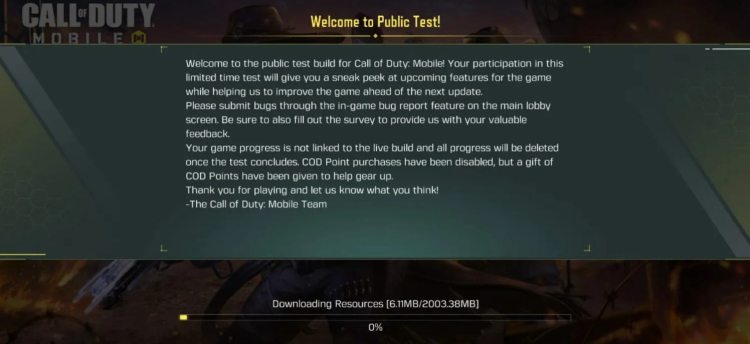
For Android Devices
- Download either the 32-bit or 64-bit APK (depending on your device).
- Make sure you have enough storage (the file is around 500 MB).
- Enable installation from unknown sources if required.
- Install the APK and launch the test server.
For iOS Devices
- Install Apple’s TestFlight app.
- Use it to access the COD Mobile test build.
- Download and start playing on your iPhone or iPad.
Important Things to Know
- The test server will be available until April 9, 2026.
- Access is limited to the first 10,000 players on each platform, so early entry is important.
- All progress and data will be reset once the test ends.
- The build may include bugs, incomplete features, or placeholder content, and not everything shown will make it into the final update.
- This test version is installed separately from the main game, so there’s no need to uninstall your regular COD Mobile app.
Overall, the Season 4 test server offers a great opportunity to preview upcoming changes and provide feedback before the update officially launches.


 Successfully copied... Thank you for sharing our content!:



5% deposit bonus up to 100 gems

a free Gift Case





EGAMERSW - get 11% Deposit Bonus + Bonus Wheel free spin


EXTRA 10% DEPOSIT BONUS + free 2 spins

3 Free Cases + 100% up to 100 Coins on First Deposit


5 Free Cases, Daily FREE & Welcome Bonuses up to 35%

3 free cases and a 5% bonus added to all cash deposits.

+5% to deposit




Comments