




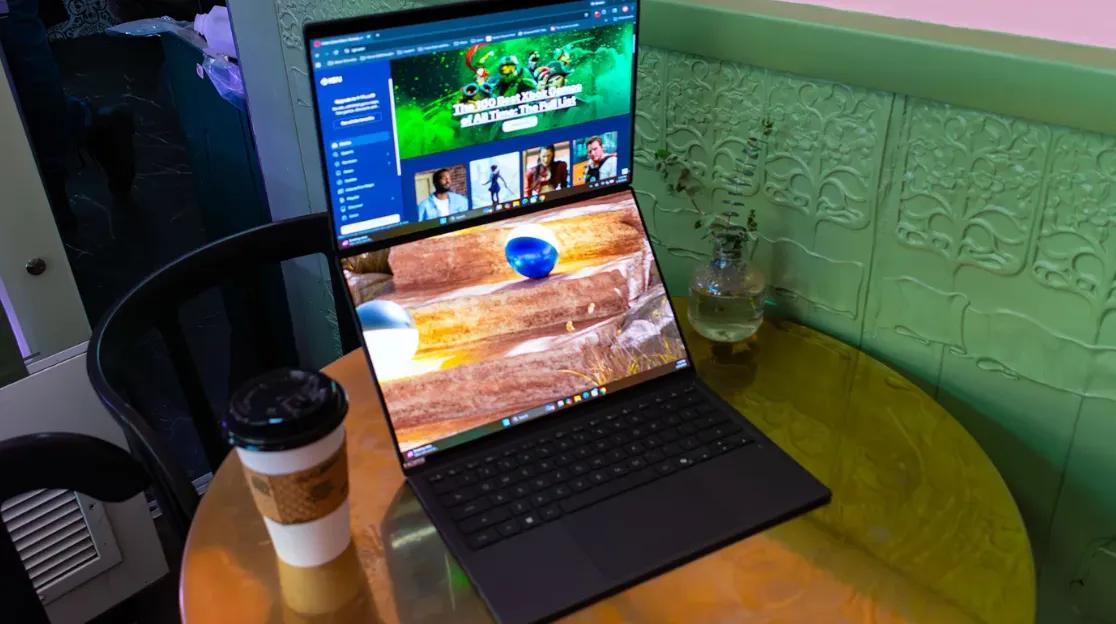
I Finally See The Point Of A Dual-Screen Laptop With The Asus ZenBook Duo (2026)
 ASUS
ASUS Review
Having multiple displays makes any computer-heavy work, or even gaming, easier by removing the reliance on cycling through windows. This is the virtue the Asus Zenbook Duo seeks to capitalize on, and unlike some previous iterations of this design, Asus has nailed the formula. The laptop is a thin-and-light machine powered by Intel’s new Panther Lake Core Ultra X9 388H CPU. While not a desktop-class chip for a heavy workstation, the processor’s generational improvements make it capable of gaming at respectable settings.
I would not recommend it as a strict gaming laptop, but for a creative person wanting a thin, portable machine with a second screen and the ability to game on the side, it has a lot to offer, provided one can get past the $2,299 price tag for the reviewed configuration. The entry model with a Core Ultra 9 386H, 32GB of RAM, and a 1TB drive starts at $2,099 and becomes available on January 27, 2026.
When first opened, the ZenBook Duo looks like a standard 14-inch laptop with a 16:10 OLED display and keyboard. Upon inspection via IGN's review, I could see a subtle difference in tone between the keyboard and the chassis, indicating the two were separate pieces. The keyboard is held magnetically, but I found myself gingerly pulling at it from different spots to make sure I was removing it correctly. A small grip or tab would have made the process feel less uncertain, though it is not complicated. The keyboard connects to the PC via POGO pins at the bottom of the second display, which keeps it charged and allows for a direct connection. When I pulled the keyboard off, the PC automatically enabled the second screen, and the keyboard switched to Bluetooth mode. This process failed only once during my testing, which I realized was because I had manually disabled Bluetooth for a battery test.
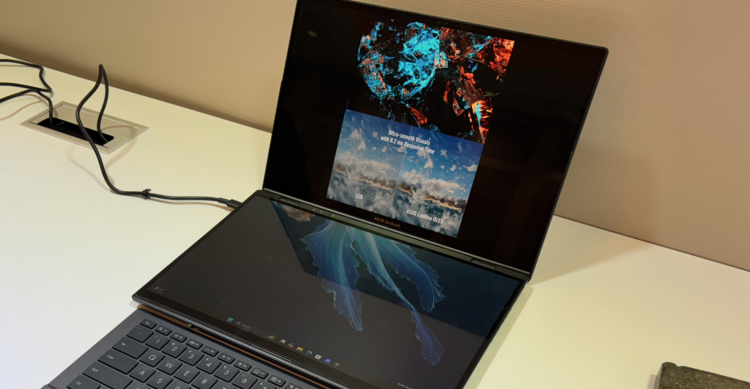
Image credit: TechRadar
The keyboard itself is a chiclet-style design, and due to the need to keep it thin, the key travel is not deep, but it is comfortable enough for typing. What proved truly annoying were the gestures built into the trackpad. For years, Asus has packed its trackpads with features that often get in the way. In this case, I found my palm constantly adjusting the screen brightness while typing. This is a feature I could disable in the MyAsus app, and once I did, the trackpad’s palm rejection was excellent. It is a strange design choice to have a feature that interferes with the hardware’s primary function. The laptop’s port selection is solid. On the left side, it has an HDMI port, a Thunderbolt 5 port, and a headphone jack. The right side features the power button, a second Thunderbolt port, and a single USB-A port. The keyboard itself also has a USB-C port, but this is exclusively for charging it separately if needed.
Around the back of the device, there is a built-in kickstand, which is essential for using the Zenbook Duo in its dual-display configuration. It works very well when the displays are arranged horizontally, one above the other. The kickstand, however, only covers the center of the device, which makes a vertical, book-style orientation unstable. If I wanted to use the screens side-by-side for coding or working on a long document, I had to angle them in a precarious arrangement that did not feel secure. This isn’t the first time Asus has attempted this concept; the ZenBook Pro Duo debuted back in 2019 with a half-sized second screen above the keyboard. Its utility was limited. The 2024 model introduced a full second display, and this 2026 version refines it. For the first time since I saw that original model seven years ago, I am sold on the idea.
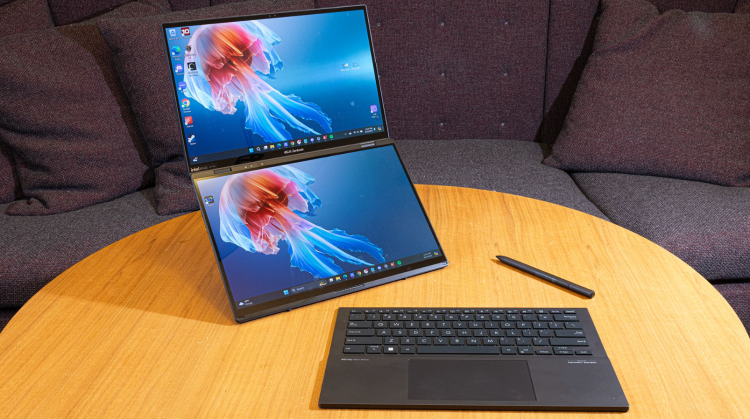
Image credit: CNN
The moment the design clicked for me was when I sat down to write this review. I put the laptop in its dual-screen mode, placing Asus’s review guide on the bottom screen while I typed on the top one. I do most of my writing on a laptop and have become adept at using trackpad gestures to switch between windows and reference materials. This device makes that process so much easier. I had my document open on the top display with my sources directly below it. Because both are touch displays, I could simply scroll through the documents with my finger, a workflow that feels incredibly natural. It helps that both displays are gorgeous. My colorimeter tests showed both panels covering 100% of the sRGB and P3 color gamuts, which makes content spring to life and provides confidence that any photo or video edits are color-accurate.
You can also remove the physical keyboard and use a gesture — pressing four fingers from both hands on the screen — to summon a virtual keyboard on the bottom display. It is even possible to shrink this on-screen keyboard, creating an experience reminiscent of older ZenBook Duo models. Typing this way is a nightmare, however, and I would not recommend it for anything more than a party trick. Despite my mixed feelings about the physical keyboard and trackpad, the ZenBook Duo is quickly becoming one of my favorite laptops to work on. Its strength is in productivity, even if I would not suggest it for dedicated gaming.
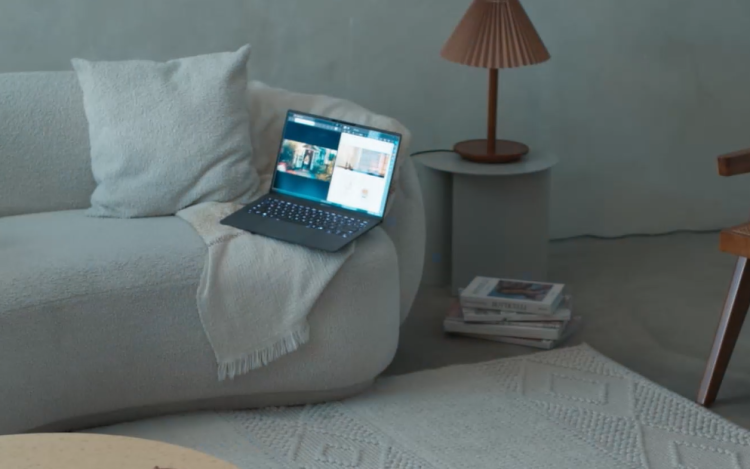
The unit I reviewed was powered by an Intel Core Ultra X9 388H, 32GB of RAM, and a 1TB SSD. The integrated Intel Arc B390 graphics chip is no slouch. Intel has been promoting the gaming capabilities of its Panther Lake architecture, so I ran it through our standard gaming laptop tests. While it struggled at its native 1800p resolution, it can play nearly anything at 1200p if you avoid the highest quality settings. In Cyberpunk 2077 at 1200p with the Ray Tracing Ultra preset, the laptop managed only 29 frames per second. Turning the settings down to the High preset boosted that to a playable 65 fps. Panther Lake’s integrated GPU also supports multi-frame generation, which pushed performance on the High preset to 103 fps at 2x and 165 fps at 4x, though this did increase input latency. At its native 1800p, performance in demanding games dropped significantly. Even with the new architecture, this is not a gaming laptop, but it offers enough performance for some gaming in your downtime.
A laptop designed for all-day work needs to last all day. The Zenbook Duo delivered impressive results here. In the Procyon Office Productivity Battery benchmark, it lasted a remarkable 17 hours and 35 minutes, placing it in the same league as the MacBook Air, but with a second screen. In my week with the device, I never felt rushed to find a charger, often using it intermittently for a couple of days before needing to plug it in. This combination of creative capability and long battery life makes it an ideal machine for professionals on the go. While expensive, it is a fantastic productivity tool. The second display is extremely useful for creative work, even if it comes with the trade-off of a mediocre removable keyboard. It is not a laptop for everyone, but for mobile creative professionals, it is one of the best options available right now.
Read also, the Asus ROG Strix G16 (2025), which focuses on raw performance for the gaming market, combining Nvidia’s RTX 50-series graphics with an AMD Ryzen 9 9955HX3D processor to deliver high frame rates without a flagship price.


 Successfully copied... Thank you for sharing our content!:



5% deposit bonus up to 100 gems

a free Gift Case





EGAMERSW - get 11% Deposit Bonus + Bonus Wheel free spin


EXTRA 10% DEPOSIT BONUS + free 2 spins

3 Free Cases + 100% up to 100 Coins on First Deposit


5 Free Cases, Daily FREE & Welcome Bonuses up to 35%

3 free cases and a 5% bonus added to all cash deposits.

+5% to deposit




Comments