


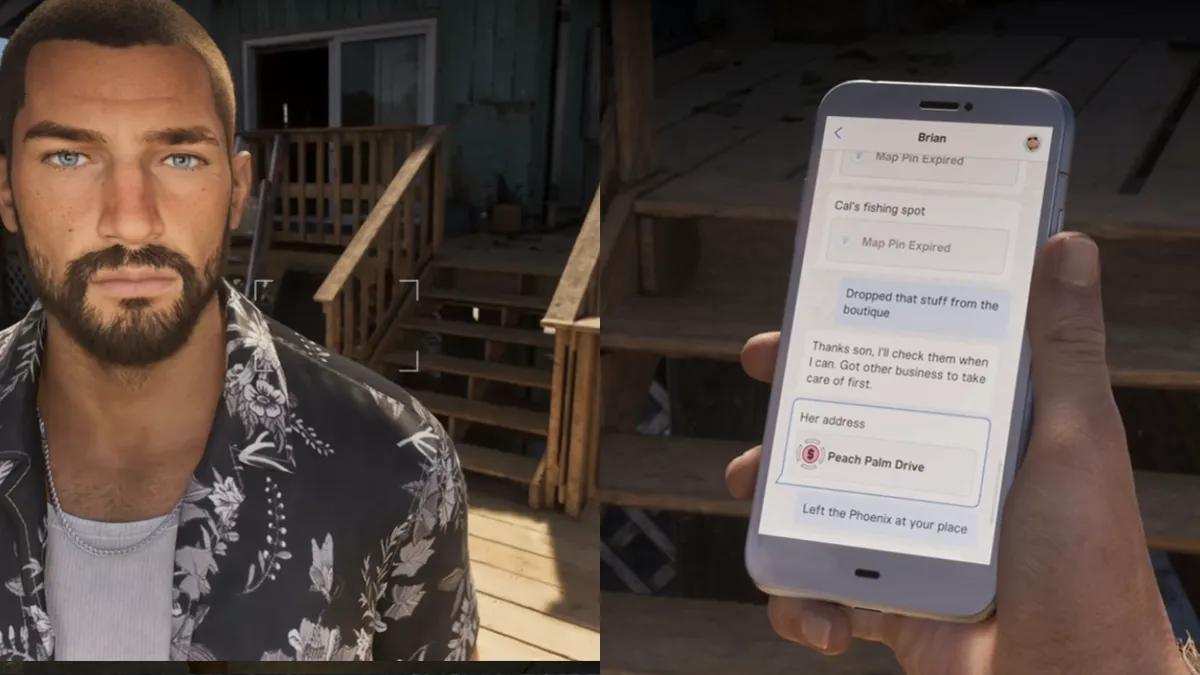
GTA 6 Phone Guide: Apps, Camera, Messages & Other
 GTA VI
The phone in Grand Theft Auto VI is not set dressing. It scans cars before you steal them, banks money before you lose it, calls your partner, delivers your vehicle across the map and buys the only property in the game.
Fifteen apps sit on it, eleven available from the opening hour and four unlocked through the story. This guide covers what each one does, when it arrives, and which of them are worth opening more than once.
How to Open the Phone
Pressing up on the D-pad takes the phone out, and the directional keys move between apps from there. Holding up instead skips straight to the WAiNK scanner, which is the shortcut worth learning first because it saves several seconds in front of a car you are about to take.
The phone works in places it probably should not. It can be used while flying an aircraft, and while riding in a taxi or a booked rideshare, which turns a cross-map journey into time spent reading messages rather than watching scenery.
There is also a display option most players never find. Under Settings, the Camera tab carries a Phone Display setting with Default and First Person as the choices, and taking the phone out inside a vehicle switches the view to a first-person shot over the screen.
Every GTA 6 Phone App

The table covers all fifteen apps with what each one does and when it appears.
App | What it does | Unlocked |
|---|---|---|
WAiNK | Scans vehicles for value, alarms, trackers and registration cost | Start of the game |
WhatUp | Messaging with everyone you meet, and where missions arrive | Start of the game |
Contacts | Call anyone you have met, including Paradise Taxi and Joey | Start of the game |
Reminders | Logs the calls and notifications you missed | Start of the game |
Camera | Selfies, which can be sent to your partner | Start of the game |
Gallery | Your photos, plus archived shots from before the story | Start of the game |
Fitness | Tracks strength, cardio and focus, plus body shape and calories | Start of the game |
Snapmatic | Social feed from the people of Leonida, likes and comments included | Start of the game |
News | Reports on events around Leonida, including crimes you committed | Start of the game |
Weather | The forecast, which matters for fishing and flying | Start of the game |
Settings | Wallpaper, ringtone and the phone display option | Start of the game |
RydeMe | Rideshare to anywhere a car can reach, billed to your account | Buck Me, Chapter 1 |
BuckMe | Banking, deposits, balances and the savings account | Buck Me, Chapter 1 |
Scooter Bros | Delivers your personal vehicle to wherever you are standing | Moses, Chapter 2 |
Vice City Real Estate | Buys garages, which is the only property you can own | Daily Driver, Chapter 2 |
Almost everything is available from the start, and the four that are not arrive early enough that no one is waiting long. Nothing on this list can be missed permanently.
WAiNK Is the One That Matters

WAiNK scans a vehicle and reports its estimated value, whether it is locked, which security features it carries, whether there is a tracker, and what registering it under your name would cost.
That makes it the difference between a two-minute theft and a wasted trip across town for a car your current tools cannot open. Hold up to bring it out, then hold R1 or RB with the car in view to log it.
Scanning also feeds completion. The vehicle counter wants 200 of the 277 base models scanned, and a scan registers whether or not the theft follows, which is covered in All GTA 6 Vehicles: Complete Car List and Stats.
RydeMe and Scooter Bros Move You Around

RydeMe is the rideshare app, booking a ride to anywhere in Leonida a car can reach and charging the fare to your bank account rather than your pocket. Talking to the driver speeds the trip up, and paying a flat fee skips it entirely, which is the closest thing the game has to fast travel.
Scooter Bros does the opposite job by bringing your vehicle to you. A courier delivers your personal car or bike wherever you are standing, with the price rising by distance and by how badly the thing is damaged, and the courier leaves on the scooter they arrived with stashed in your boot.
Between them and the trains, crossing Leonida is rarely a problem, and where all of it connects is in GTA 6 Map: All Counties, Landmarks and How to Unfog It.
BuckMe Decides What You Keep
BuckMe is the banking app and the most consequential thing on the phone. Cash carried in a pocket is lost when either character is wasted or busted, along with a small account maintenance fee, while anything deposited at an ATM survives both.
The app holds two accounts. Checking handles payments and purchases above a certain size, and Family Savings sits alongside it tied to story progress, with deposits that can never be withdrawn in exchange for raised limits and discounts.
Depositing after every job is the single habit that saves the most money across a playthrough, which is why it sits near the top of How to Make Money Fast in GTA 6.
WhatUp, Contacts and Your Partner

WhatUp is the messaging app and where most of the game's communication happens. Missions arrive through it, side activities get suggested through it, and tips about quick money turn up in the same thread as everything else.

Contacts covers calls, and two numbers are worth remembering. Paradise Taxi sends a cab to almost anywhere in Leonida, paid with pocket cash rather than the bank, and Joey repairs or delivers your personal vehicle. Calling anyone else usually reaches voicemail.
One rule carries weight beyond the phone. Ignoring your partner's calls and messages damages the relationship between Jason and Lucia over time, which is the kind of quiet mechanic covered in GTA 6 Beginner Guide: What to Do First.
Fitness Tracks Real Stats

The Fitness app is not cosmetic. It tracks strength, cardio and focus, which feed directly into health, stamina and the focus meter, along with body shape and calorie intake.
Workouts raise those levels, and the app shows where each one currently sits. The catch is the workout window: miss it often enough and a level can drop back down, which makes fitness the only stat in the game that moves in both directions on its own.
Vice City Real Estate Buys the Only Property
This app installs after the Chapter 2 mission Daily Driver, the one that sends you to steal the Crawler for Moses, and it exists to sell garages.
Garages are the only property anyone can buy in GTA 6. There are no businesses, no passive income and no purchasable safehouses, so every property decision runs through this one app and comes down to how many vehicles you want to keep. The full list of locations and prices sits in GTA 6 Garages and Properties: Every Location and Price.
The Apps You Will Barely Open

Camera takes selfies that can be sent to a partner, and Gallery stores them alongside a handful of archived photos from Jason and Lucia's life before the story, which are worth a look once.

Snapmatic is the social feed, full of residents posting their lives, memes and the usual noise, with likes and comments attached. It serves no mechanical purpose and is very good at what it does anyway.
News reports events across Leonida and occasionally covers crimes you committed yourself, which is the only app that reacts to how you play. Weather matters more than it sounds, since storms affect fishing and flying. Settings holds the wallpaper, the ringtone and the display option. Reminders catches the calls and notifications missed while you were elsewhere, and checking it after a break is how you avoid losing a mission thread entirely.
Five Phone Habits Worth Building

Check Reminders after every session break, because a missed call usually means a mission that is waiting rather than gone. Hold up rather than tapping it whenever a car is in front of you.
Scan before stealing, not after. Bank cash before starting anything risky. Use the phone during rides instead of watching the road, since both RydeMe and taxis allow it.
I keep the first-person phone display on permanently, because reading a message while driving is exactly as bad an idea in Leonida as it is anywhere else, and the game is honest enough to make that obvious. News coverage of your own crimes is also a decent early warning that a search is still running, and how those searches work is in How to Lose the Cops in GTA 6.
GTA 6 Related Guides


 Successfully copied... Thank you for sharing our content!:

What do you think?
Be the first to comment
